Get registrants. Know who's coming.
Keep your event on Luma, Eventbrite, Zoom or Meetup. We bring people to it, with one email to register and QR codes and share cards that count every sign-up, then show you who's coming and how you can help them.
Or skip it: Add your event · 14 days of Pro, no card
- 14 days of Pro, no card; registration is never limited
- Your event stays where it runs
- Nobody is registered without their own tap or their own email
Demos
See it work
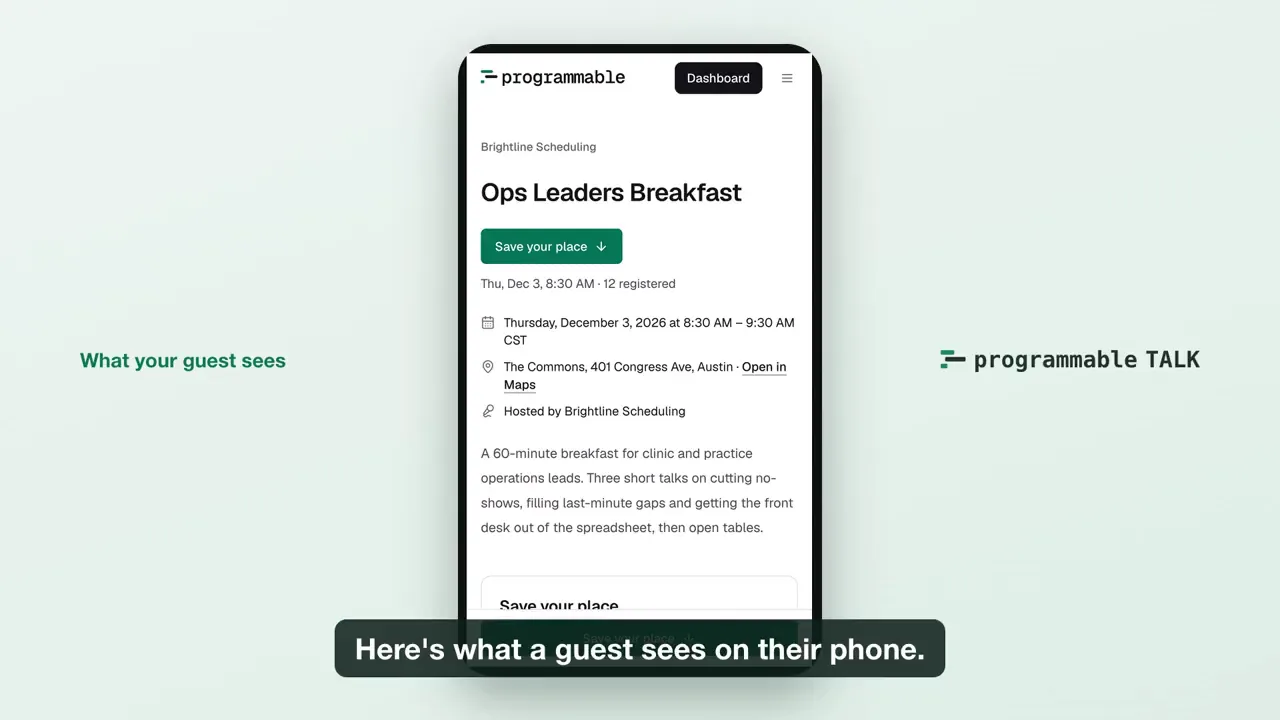
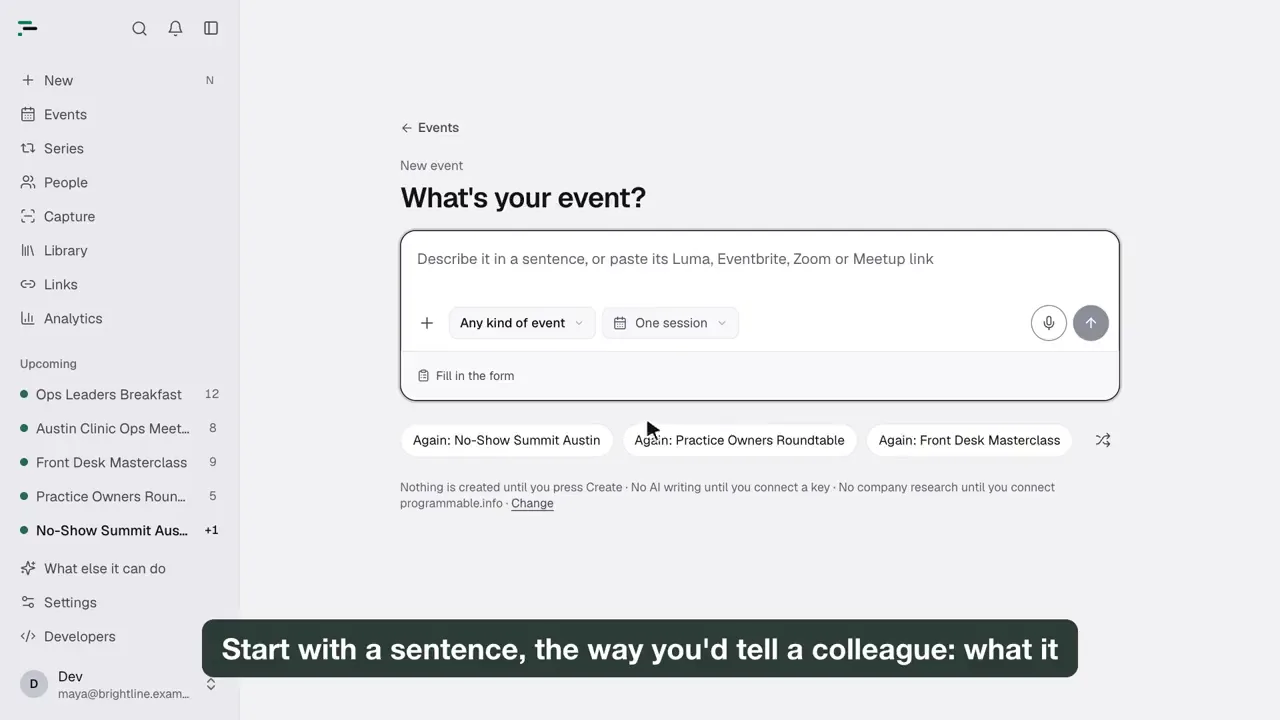
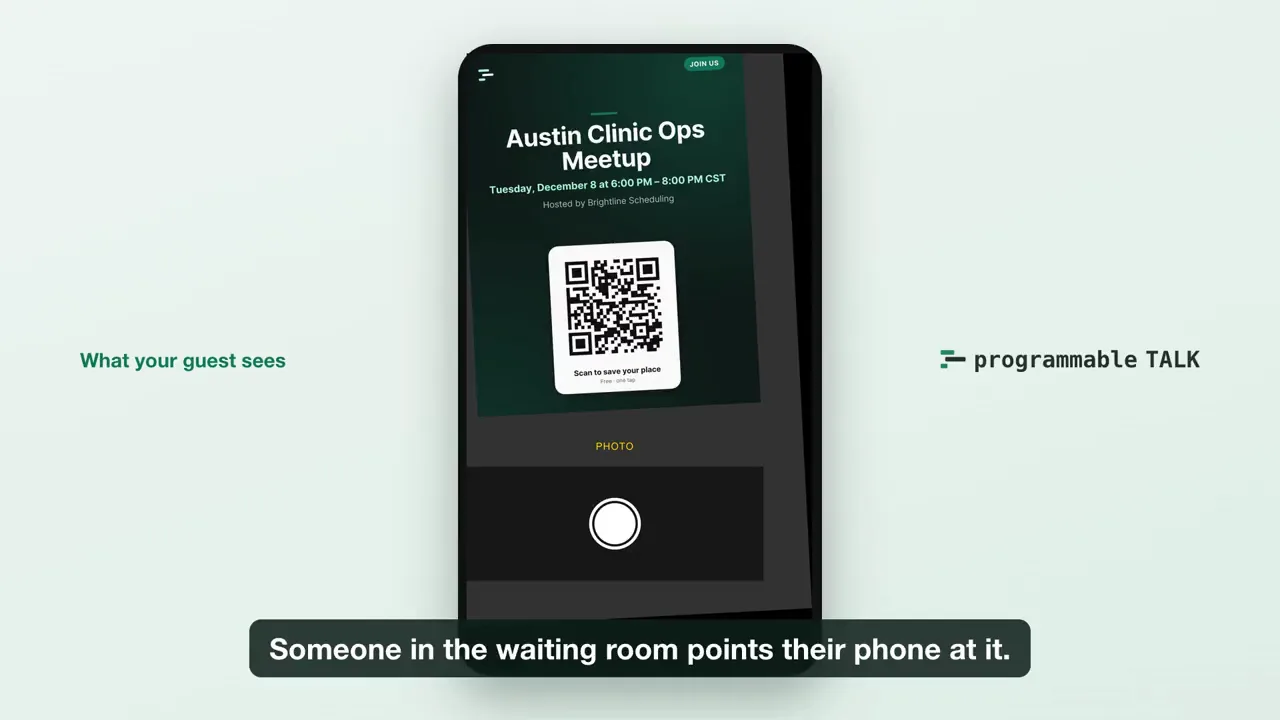
Each one filmed end to end in a demo account with made-up people, narrated, under two minutes each.
How it works
Your event stays put. Everything around it gets better.
Point at the event you already run, hand out ways in that each carry their own code, and get to know everyone before they arrive.
Everything around the event
From a page you found to a full room, in one place.
Gather it, plan it around the people presenting, publish it where it runs, promote it in your brand, and give people a reason to come.
Build an event from anywhere on the web
The Chrome extension sends what's on the page: the event from its Luma page, speakers from LinkedIn, sponsors from their sites, a cover from a screenshot. It gathers into a collection; build the event from it in one go.
Ideas around your presenters
Their companies looked up, then events they can all speak to: the angle, the format, each person's talk. Pick one or write your own.
Create it on Luma, Zoom, Eventbrite and Meetup
One click makes the event on the accounts you connected; publish again to send changes.

Graphics in your brand
Posts, stories, slides and posters for every way in and every speaker, light, dark or bold, with your sponsors along the bottom.
Everyone, kept to reuse
Speakers, sponsors and images from every event, ready for the next one, photos and logos included.
Host it here, or send them to your call
YouTube, Vimeo, Jitsi and more play inside a room with questions, votes and polls beside them. Google Meet, Teams or any link gets a Join button, sent only to registrants.
 Questions Polls
A reason to register, made for each company
Give everyone who registers the programmable.marketing growth playbook for their company: evidence-backed ideas, sent the moment it's ready. Invitations wait until theirs exists.
Ways in
Every surface is a way to register.
A slide, a poster, a speaker's post, a podcast mention, an email signature. Each one gets its own code, so you know what worked.
Register with one email
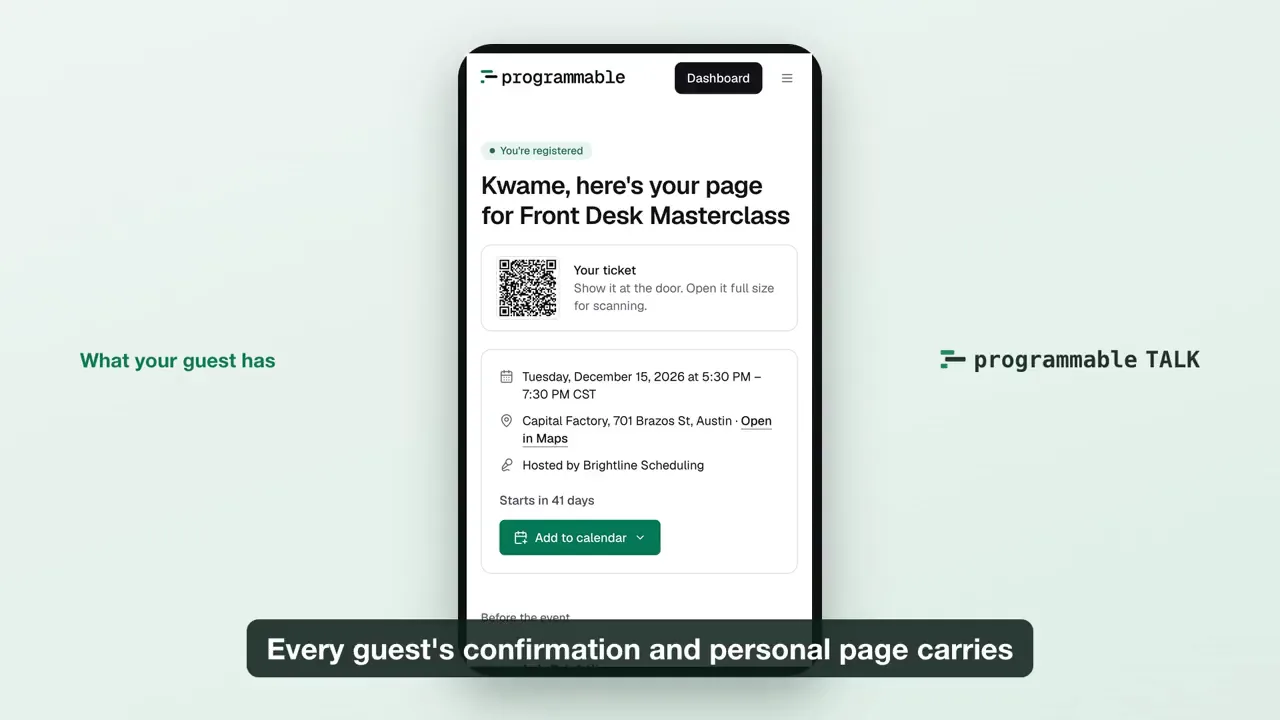
Scan or tap, the person's own email opens with everything filled in, they press send. No form. The address is proven by sending, and every later message lands in the thread they started.
QR codes that track
One for the page, one that opens the registration email. Put them on a slide, a poster, a badge. You'll see which one filled the room.
Cards that bring people
Every speaker gets an "I'm speaking" card with their own code; every registrant gets an "I'm going" card. The image keeps working wherever it's posted.
Personal invites
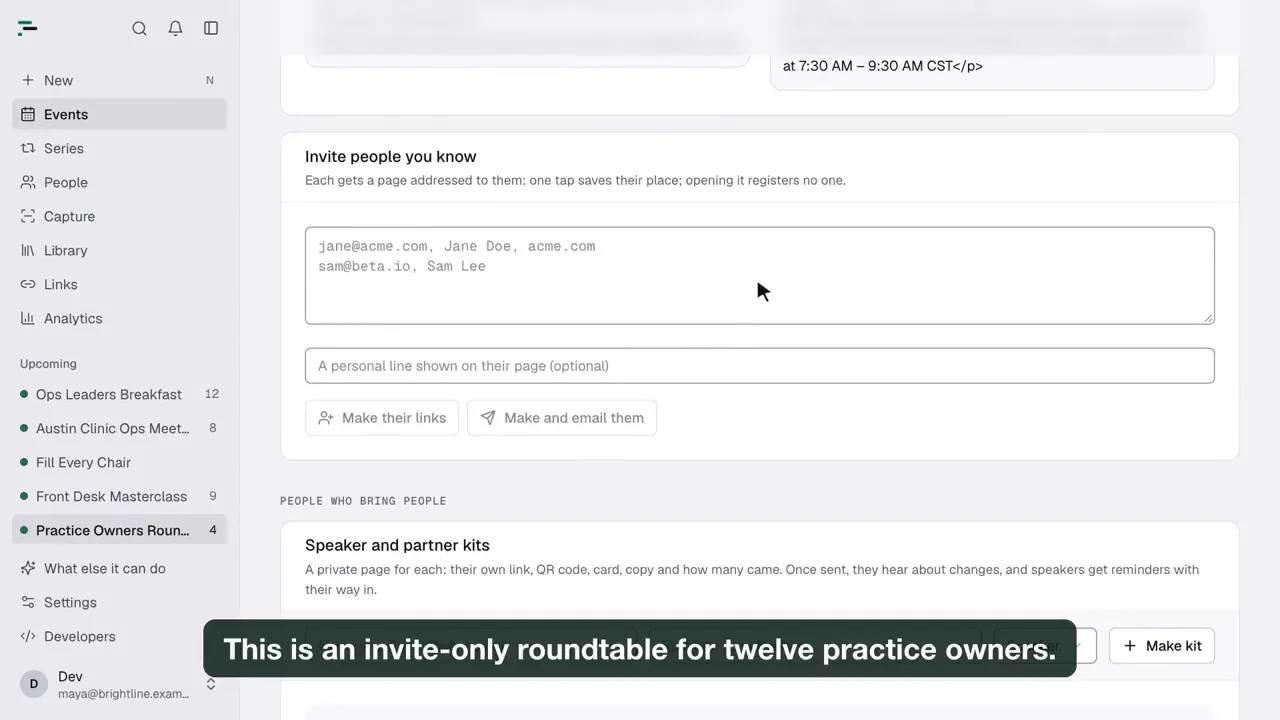
Paste the people you know. Each gets a page addressed to them, with your note, and one tap saves their place. Opening the link registers no one.
Track anything, anywhere
The code rides inside the email address, so print, stage, podcast and word of mouth are measured like a link. UTM tags on any link are kept with each registration.
Into the tools you use
Luma guests and Zoom registrants added automatically. HubSpot, Salesforce, Mailchimp and Google Sheets kept up to date once you turn that on. Everything else by signed webhook, CSV, Zapier, Make or n8n.
The lens
Write what you'd want to know about anyone in the room. Once.
Your lens runs on every registrant's company: their filings, news, job posts and their own site, through programmable.info on your own keys. Every answer cites its source.
- They see how you can help them, and questions worth asking you.
- You see who's in the room, what they need, and the themes they share.
- Their questions reach you before the event, so you can plan for them.
What AI initiatives has this company announced, and where does AI spend or cost pressure show up?
Has this company disclosed a security incident or posted security roles this year?
Which of our integrations would this company's tech stack use first?
Examples. A cybersecurity host, a fundraising coach and an e-commerce agency would each write their own.
Engage
Registrants who show up, and come back
From the moment someone registers to the follow-up after, every step happens in their inbox, in the thread they started. They can reply to cancel, ask a question or bring a colleague, and it just works.
Your brief
The day before, who's coming, what the room is after, the questions sent ahead, and where you can help each person. Answer a question once; it reaches the asker.
Reminders in their thread
The day before and an hour before, with their own join link and what they said they hoped for. Most no-shows are people who lost the link.
Introductions
Registrants who opt in see who else they should meet, matched on what they're after and what the other company does. Addresses are shared only when both say yes.
Reply to act
Reply "cancel", reply with a question, or reply "+1 jane@co.com" to invite a colleague, credited to you. No links to find.
The live room
Open a room for the session. The stream or call plays beside questions people vote up, quick polls and chat, so you can see what the room wants to hear about while you're talking.
The follow-up
Attendance comes back from Luma, Zoom, Eventbrite and Meetup (or paste a list). Those who came get the recording, answers and a review link; those who didn't, the recording and the next date.
Kits and referrals
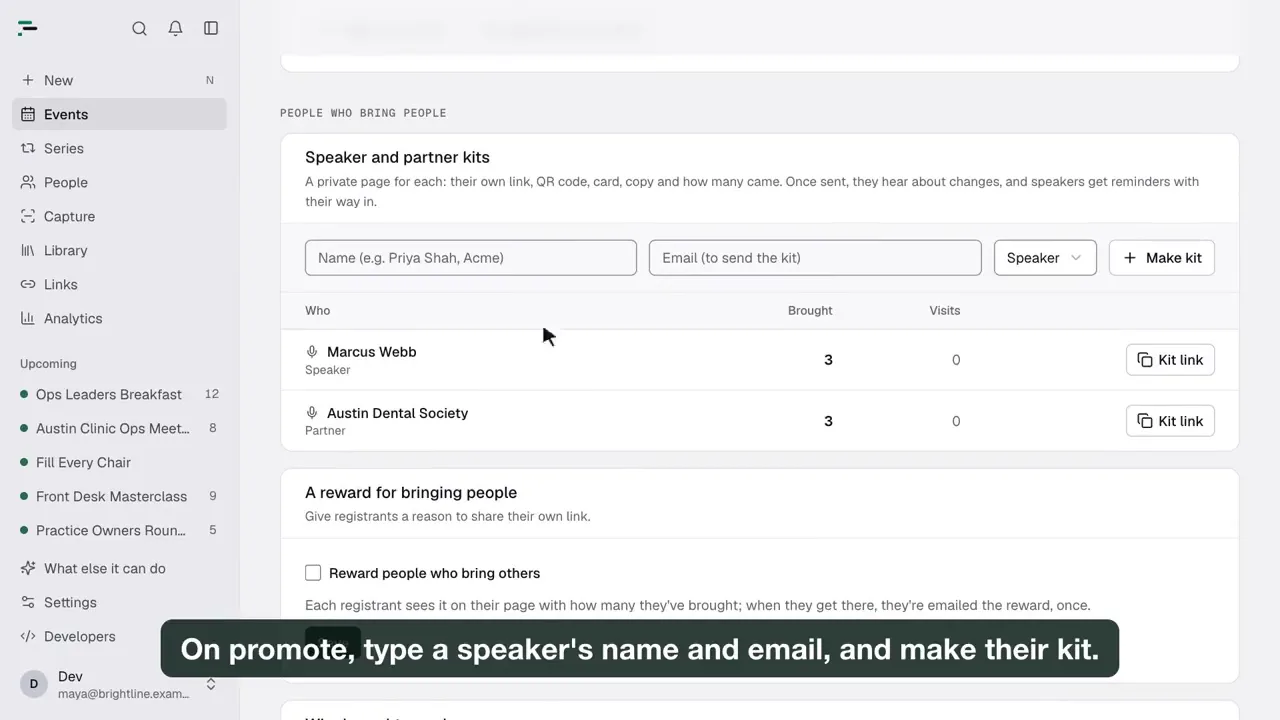
Each speaker and partner gets a kit: their link, QR, a card with their name, copy to paste. Every registrant gets their own card. The leaderboard shows who filled the room.
One tap to come back
People who ask to be remembered register for your next event in one tap on that browser, without typing a thing. "Not you?" is always one click away.
- Series
- One link for every session, a calendar people subscribe to, and "next session" in one click.
- Capacity and waitlist
- When it's full, people join a waitlist and move up in order, by email, as places free.
- Your site, your domain
- Embed the registration box anywhere, put an event on events.yourcompany.com, and get a page for all your events.
- The directory
- List an event and it's in /explore and its feeds, and shown on other hosts' pages. Every registration it brings is counted.
Works with
We connect to your event tools. We don't replace them.
Registrations go where your event runs, and to wherever you keep your contacts.
Use cases
Set up for the kind of event you run
Webinar promotion
Promote a webinar and see which post filled it.
Meetups with QR sign-up
QR sign-up for meetups, counted per poster.
B2B workshops
Know every company in the room before the workshop starts.
Speaker and partner kits
Give every speaker a kit, and see who filled the room.
Conference partner tracking
Know which partner brought which registrations.
Also built in: event websites, tournaments, name badges and check-in, on-demand library, call for speakers, discount codes, captions and chapters. See every feature
Planning one now? Try the free tools: a bracket maker, a Swiss rounds calculator, add-to-calendar links, a time zone converter, a no-show calculator and name badges. No sign-up.
Pricing
Two plans. Start with the bigger one.
Every account starts with 14 days of Pro, no card. Registration is never limited on any plan: nobody who wants to come is turned away because of yours.
Plans
Starter
- 3 live events at a time
- 3 speaker and partner kits per event
- Every way in: one-email, QR, cards, invites
- Research, briefs, reminders and follow-ups
- Luma, Zoom, Eventbrite, webhooks and CSV
No card to start. Cancel any time.
Pro
- Unlimited live events and kits
- Your team: editors and viewers
- Your own domain for events and your page
- Everything in Starter
No card to start. Cancel any time.
Every account starts with 14 days of Pro, no card. Research is billed by programmable.info on your key, not by these plans. About programmable.info
Questions
What does it cost?
Every account starts with 14 days of Pro, no card. Then Starter ($19 a month) covers a few live events at a time with every way in, the research, briefs, reminders and follow-ups; Pro ($39) removes the limits and adds your team and your own domain. Registrations are never capped on either.
Do I have to move my event?
No. Keep it on Luma, Eventbrite, Zoom, Meetup or your own page. Programmable Talk is how people find it and register; where the platform lets us add people (Luma, Zoom) every registrant is added there too. Everywhere else they're pointed to finish on your page, and when you connect Eventbrite or Meetup, the people who register there come back here.
How does one-email registration work?
Each event gets addresses like join+your-event.speaker@…. A QR code or button opens the person's email app with that address, a subject and a line filled in. When they press send, they're registered, and the confirmation answers their own email, with their personal page and a calendar file.
Where does the research come from?
From programmable.info, on your own account and AI key: your lens questions are answered from each registrant's company pages and the web, and every answer says where it came from. Personal addresses (Gmail, Outlook) aren't researched. Nothing is bought from data brokers.
What does a registrant see?
Their own page: the details, a calendar file, how you can help their company, questions they might ask you, a box to say what they're hoping for, their own share link, and a way to cancel. Nothing private about them is shown, to them or anyone else.
Can someone register another person?
They can type an address, and that address gets a confirmation it can cancel; nothing about the registration is shown to whoever typed it. One-email and invite registrations come from the person themselves.
Who sees the data?
You, the host, and the teammates you add. Export it any time as CSV or by webhook. We don't sell it, share it, or use it to train anything.
Can registrants say no?
Yes. Every email you send them has a link to stop your email (and mail apps show their own unsubscribe button). On their page they can turn off the research on their company, and introductions are off until they turn them on.
Can it live on my own site?
Embed the registration box on any page with one line, or, on Pro, connect your own domain (events.yourcompany.com) to an event, a series or your page of events: two DNS records, and HTTPS is set up for you. Registrations are tracked the same way.
Is there an API?
Yes. Create an API key in Settings and your own tools can create events, read and export registrants, and send invites. Signed webhooks tell you about each registration as it happens. See the API docs at /docs/api.
Can I take my data with me?
Any time. Export registrants as CSV from each event, or download everything in your account as one file from Settings. If you close your account, you have 30 days to export before it's deleted.